













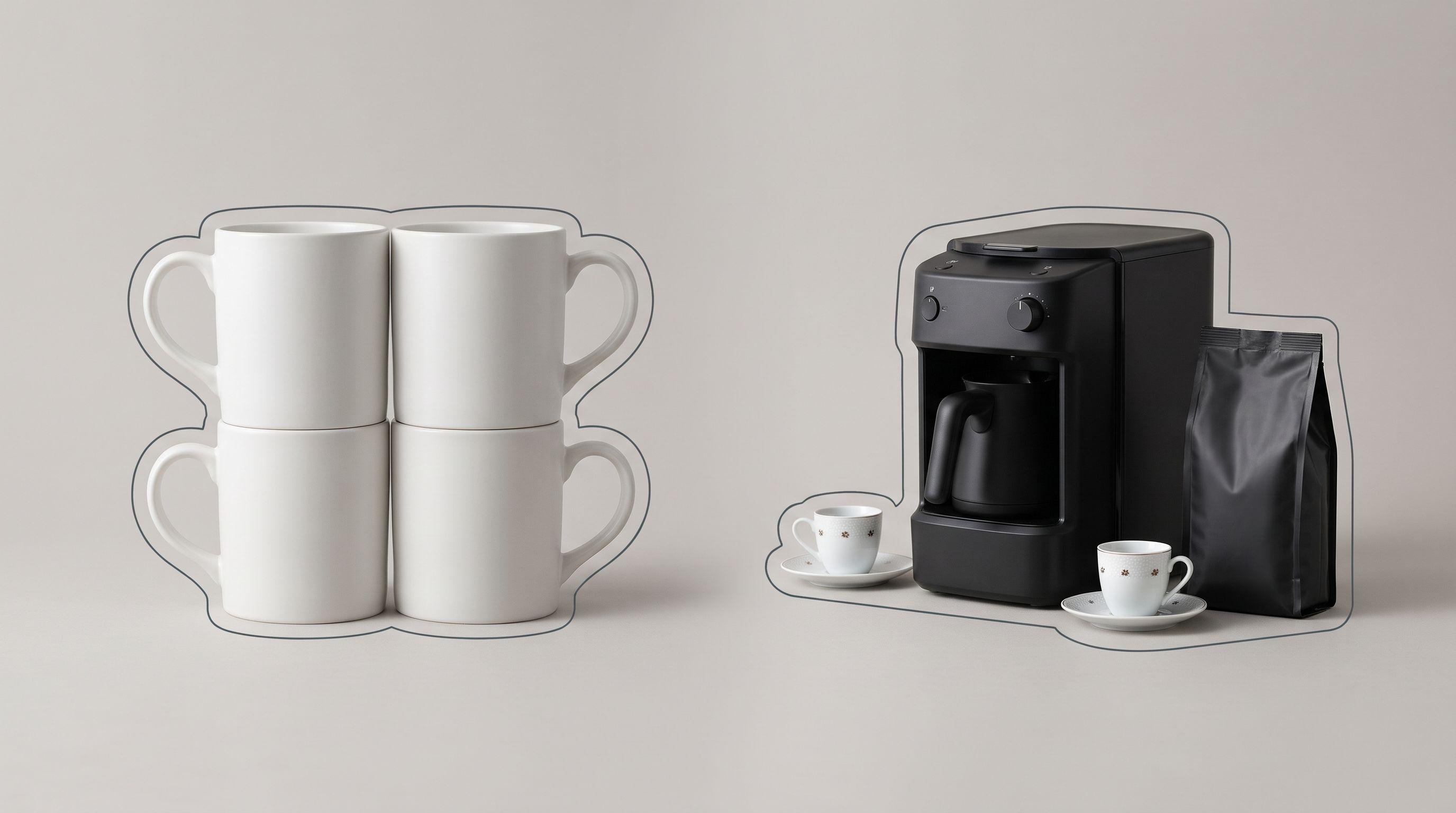
A pack of four mugs and a single mug can share one barcode. Google only tells them apart if your feed says how many units are in the offer. When it doesn't, you get Duplicate value: GTIN [gtin] on one row and Missing value: multipack [multipack] on the other. Google's spec makes multipack and is_bundle required for Shopping ads in 12 countries, including Germany, France and the UK, and required for free listings everywhere a retailer-made pack or bundle is sold (Google Merchant Center product data specification).
This teardown is for teams that sell sets, packs and gift boxes, which includes many Turkish and MENA catalogs full of "2'li set" and "3'lü paket" listings that also ship to Europe. We rebuild eight broken rows. By the end you can sort any pack or set into the right attribute, pick the right GTIN, and write the feed rules that keep it right.
How Google separates a multipack, a bundle and a plain product
Three questions decide every row. Who assembled the offer: you or the manufacturer? Are the units identical or different? If they are different, is there one main product?
| Offer | Who assembled it | Attribute | GTIN, brand and MPN to send |
|---|---|---|---|
| Several identical units sold as one offer | You (retailer) | multipack = number of units | The individual unit's |
| Several identical units in one factory pack | Manufacturer | No multipack | The pack's own |
| A main product plus different accessories | You (retailer) | is_bundle = yes | The main product's |
| A factory-made set of different products | Manufacturer | No is_bundle | The set's own |
| Different products with no main item, such as a gift basket | You | Neither | Treat it as a single product |
Sources: the multipack attribute page, the is_bundle attribute page and the multipack and bundle sections of the GTIN attribute page. Unsent, multipack defaults to 0 and is_bundle to no (product data specification).
Google counts packs, not pieces. If you group three manufacturer 20-packs of pens, the value is 3, not 60 (multipack attribute).
The eight rows, before and after
Every row is a constructed example, not client data. The seller is a Turkish home and food retailer exporting to Germany and the UK, where both attributes are required for Shopping ads. GTINs are dummy values with valid check digits.
Row 1: retailer 4-pack of mugs that reuses the single mug's GTIN
Before: id=MUG-01-4P | title=Ceramic Mug Set 4 Pcs | gtin=8691234567890 | multipack=(empty)
The single mug, MUG-01, carries the same GTIN. Google sees two offers with the same GTIN, the same condition and the same multipack value (none) for the same country and language. One of them gets Duplicate value: GTIN (How to fix: Duplicate GTIN). If Google also detects that the pack holds several identical items, it disapproves it with Missing value: multipack (How to fix: Missing value multipack).
After: id=MUG-01-4P | title=Ceramic Mug 350 ml, White (4 Count) | gtin=8691234567890 | multipack=4 | brand=(mug brand)
The GTIN stays, because a retailer multipack takes the unit's identifiers. The multipack value now tells the two offers apart. Google lists multipack next to condition as a variant attribute for GTIN uniqueness (GTIN attribute).
Row 2: a GTIN the seller made up for the pack
Before: id=TOWEL-3P | gtin=2000000012346 | multipack=3
The ERP generated an in-store barcode for the 3-pack. Google rejects GTINs with the restricted prefixes 02, 04 or 2 (GTIN attribute). Under GS1 rules the brand owner assigns GTINs, not the reseller who repacks the stock (GS1 GTIN Management Standard).
After: gtin=(the single towel's GTIN) | multipack=3. If the single towel has no GTIN at all, because it is a store brand, leave gtin empty and send brand and mpn.
Row 3: a manufacturer 6-pack sent as a multipack
Before: id=WATER-6 | title=Sparkling Mineral Water 6 x 200 ml | gtin=(single bottle GTIN) | multipack=6
The six bottles leave the factory shrink-wrapped with their own barcode, so this is a manufacturer multipack. Google says not to send multipack for these, to send the pack's own GTIN, MPN and brand, and to use unit_pricing_measure if you want to show the count (multipack attribute).
After: gtin=(the 6-pack's GTIN) | multipack=(not sent) | unit_pricing_measure=1200 ml | unit_pricing_base_measure=1 l
In the EU and UK, drinks sold by volume often need a unit price, which is why the unit pricing pair belongs on this row (unit_pricing_measure attribute). Pack GTINs at this level are often 14-digit ITF-14 codes, and Google accepts those in gtin.
Row 4: two factory 6-packs sold as one offer
Before: id=WATER-12 | gtin=(single bottle GTIN) | multipack=12
After: gtin=(the 6-pack's GTIN) | multipack=2 | unit_pricing_measure=2400 ml | unit_pricing_base_measure=1 l
You combined two packs, so it is a retailer multipack of 2, carrying the 6-pack's identifiers. This is Google's "three 20-packs of pens" rule.
Row 5: Turkish coffee machine with cups and coffee
Before: id=KAHVE-SET | title=Turkish Coffee Gift Set | brand=(coffee roaster) | gtin=(250 g coffee GTIN) | google_product_category=(coffee) | is_bundle=(empty) | image_link=(two cups on a tray)
Everything here describes the wrong product. The machine is the main item. For a retailer bundle, Google wants the main product's GTIN, MPN and brand, and wants the title, description and image to describe the whole bundle (is_bundle attribute). An image of the cups alone misses that, and a "3-piece set" text overlay would break Google's rule against added condition or compatibility text such as "2-piece set" (image_link attribute).
After: title=Turkish Coffee Machine 4-Cup, Black + 2 Porcelain Cups + 250 g Coffee | brand=(machine brand) | gtin=(machine GTIN) | mpn=(machine MPN) | google_product_category=(coffee maker) | is_bundle=yes | condition=new | image_link=(machine, cups and coffee in one frame, no text)
If any item in a bundle is used, the whole bundle's condition becomes used (is_bundle attribute).
Row 6: a gift basket with no main product
Before: id=BAYRAM-BOX | title=Holiday Box: Turkish Delight, Tea, Hazelnuts | is_bundle=yes | gtin=(Turkish delight GTIN)
None of the three items is the main product. Google's spec says not to use is_bundle for bundles without a clear main product and gives a cheese-and-crackers gift basket as the example (product data specification).
After: is_bundle=(not sent) | gtin=(not sent) | brand=(your store brand) | mpn=(your basket SKU). Borrowing one item's GTIN is the same mistake as Row 5.
Row 7: an engraved pen
Before: id=PEN-ENG | title=Fountain Pen | gtin=(pen GTIN) | is_bundle=(empty)
After: title=Fountain Pen, Personalised With Your Name Engraved | gtin=(manufacturer's pen GTIN) | is_bundle=yes
Google asks you to keep the manufacturer's GTIN on a customised product, say it is customised in the title and description, and use is_bundle to signal the customisation (GTIN attribute).
Row 8: a single item Google wrongly flags as a multipack
Before: id=SOFA-2S | title=2-Seater Velvet Sofa | multipack=(empty), disapproved for Missing value: multipack.
After: multipack=1 on that product only.
Google's help page says you can fix a wrong multipack detection by setting multipack=1 on the affected product. It also warns that setting multipack=1 for a whole data source will get products disapproved (How to fix: Missing value multipack). Numbers in titles, such as "2-seater" or "4-burner", are a likely trigger, so check those rows first.
What changes on Meta and through the Merchant API
Meta's catalog field reference has no multipack or is_bundle field. Its gtin field does accept ITF-14 codes for multipacks (Meta catalog reference). On Meta, the pack count and bundle contents have to live in title and description, which is why the rebuilt titles in Rows 1 and 5 matter.
If you push products through the Merchant API, the fields are multipack (an int64, sent as a string in JSON) and isBundle (a boolean) on ProductAttributes (Merchant API ProductAttributes). As of its 13 November 2026 update, that reference describes isBundle as a "business-defined sub-API". That is a wording error in Google's docs. The field means a bundle, and the description links to the bundle help page.
Feed rules that keep pack and set rows correct
Fixing eight rows by hand is easy. Keeping 8,000 rows right after every import is the job. The rules we set up, in order:
- Classify at the source. Add a
pack_typefield in your ERP or e-commerce platform with four values: single, retailer_multipack, manufacturer_pack, retailer_bundle. Parsing titles for "2'li" or "x6" is a stopgap, not a system. - Derive the attributes from
pack_type. If retailer_multipack, setmultipackfrom aunits_in_offerfield. If retailer_bundle, setis_bundle=yes. For every other type, send neither. - Route identifiers by type. A retailer multipack inherits the unit's GTIN, a retailer bundle inherits the main product's, and a manufacturer pack keeps its own.
- Block made-up barcodes. Empty any
gtinthat starts with 2, 02, 04, 05, 98 or 99 instead of sending it. - Rebuild titles per channel. Put "(4 Count)" or "+ 2 Cups" in the Google and Meta titles. Keep the marketplace's own style for marketplace exports.
- Watch for duplicate GTINs. Before each export, flag any two rows that share GTIN, condition and multipack value for the same country and language.
In Feedance, steps 2, 3, 5 and 6 are Feed Rules and per-channel exports, applied separately to the Google Merchant Center and Meta feeds. Feed Protection can filter out rows with missing attributes or duplicates before they go out. Channable, DataFeedWatch and Productsup rule builders can set these fields just as well. The hard part is the classification in step 1, and no feed tool can do it if your source data doesn't record it.
Scoring checklist for pack and set listings
Score a sample of 20 pack or set rows. Each item is worth one point per row that passes. Below 80% on any item means a rule is missing.
| # | Check | Pass condition |
|---|---|---|
| 1 | Classification | Each row has one pack_type value |
| 2 | Retailer multipack | multipack is 2 or more and counts packs, not pieces |
| 3 | Manufacturer pack | No multipack, and the pack's own GTIN is sent |
| 4 | Retailer bundle | is_bundle=yes with the main product's GTIN, brand and category |
| 5 | No main product | Gift baskets and mixed boxes carry no is_bundle |
| 6 | GTIN range | No GTIN starting with 2, 02, 04, 05, 98 or 99 |
| 7 | Uniqueness | No two rows share GTIN + condition + multipack per country and language |
| 8 | Title | Count or contents are visible in the first 65 characters |
| 9 | Image | Shows everything sold and nothing that isn't, with no text overlay |
| 10 | Meta export | Pack and bundle details are carried in title and description |
Where this teardown stops
This guide covers Google's two attributes and how they carry over to Meta. It does not cover product variants and item_group_id, which are a separate subject. It also does not cover marketplace set-listing rules on Trendyol, Hepsiburada or Amazon, which use their own category templates. TikTok Shop is not covered. We found no public benchmark for how many catalogs get these attributes wrong, so we give no figure. The required-country list can change, so recheck it before entering a new market.
FAQ
What is the difference between multipack and is_bundle?
multipack is for identical units that you grouped yourself, and its value is the number of units. is_bundle is for a main product that you sold together with different accessories. Most rows need one or neither.
Which GTIN should a retailer multipack use?
The individual unit's GTIN, with that unit's brand and MPN. The multipack value is what separates the pack from the single unit, so don't make up a new barcode for it.
Do I need multipack if I only sell in Turkey or the Gulf?
For Shopping ads, Google requires it only in the 12 countries listed in the spec, and Turkey, the UAE and Saudi Arabia are not among them. It is still required for free listings wherever you sell a retailer multipack, and it prevents duplicate GTIN conflicts in any market.
Should a manufacturer 6-pack use multipack=6?
No. Send the 6-pack's own GTIN and leave multipack out. To show the count or price per unit, use unit_pricing_measure and unit_pricing_base_measure.
Google flagged my product as a multipack but it is a single item. What do I do?
Set multipack=1 on that product only. Don't apply it to the whole feed, because Google says doing so leads to disapprovals.
Does Meta have a multipack field?
Meta's catalog reference lists no multipack or is_bundle field. Put the count and contents in the title and description, and send the pack's ITF-14 in gtin if it has one.
Can the bundle image show the accessories?
It should. Google asks for an image that shows the whole bundle, and says not to show products that are not sold with the main item.
See it on your own catalog
If your catalog mixes singles, packs and sets across Google and Meta, we can show you how Feedance sets the right attributes per channel and catches duplicate GTINs before an export goes out. Request a 15-minute demo.

Kardelen Yılmaz works on growth at Feedance, where she helps e-commerce brands and agencies get more return from every product they advertise. She writes about product feed quality, Shopping and Performance Max campaigns, creative automation, and how AI-driven shopping is changing product visibility.
LinkedIn