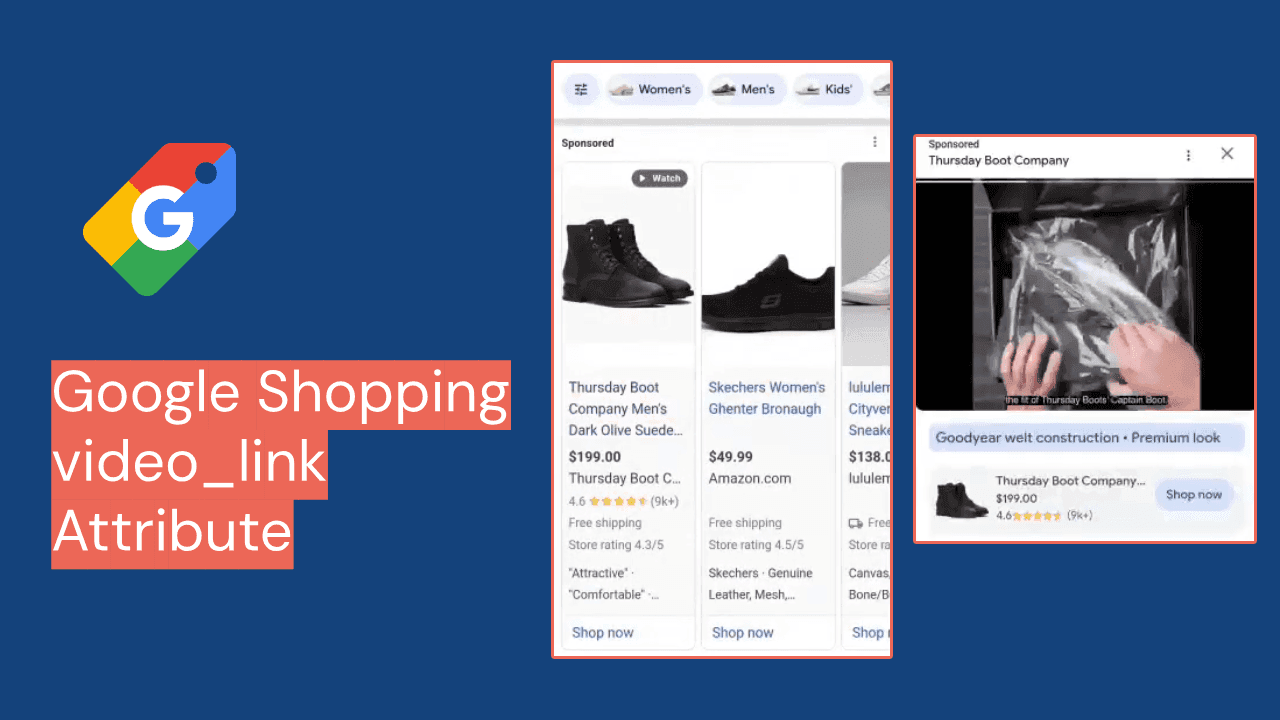















If you advertise products on Google in Europe, every Shopping ad you run in 21 countries has to be placed by a Comparison Shopping Service (CSS). That is how Google describes the rule for Austria through the United Kingdom, and it traces back to the European Commission's Google Shopping decision, whose €2.42 billion fine the EU Court of Justice upheld on 10 September 2024. In practice you choose between Google's own CSS, called Google Shopping, and a third-party CSS.
This guide is for brands and agencies that run one Merchant Center account across European and non-European markets, which is the normal setup for sellers based in Turkey or the Gulf. By the end you will be able to compare the routes on cost, control and risk, pick an account model, and switch without your Turkish, Emirati or Saudi listings quietly going dark, a failure Google itself warns about.
What a CSS changes in your Shopping setup, and what it does not
A CSS is a comparison site that bids in the Shopping auction for the merchants it represents. Google Shopping is one of them: Google says it "bids on behalf of merchants it represents, like any other CSS" and must be independently profitable in the EEA countries where Shopping ads run (Merchant Center Help 12653197).
Three things do not change when you move to a third-party CSS:
- Your feed specification. Google states that "all campaigns must follow the same Shopping ads policies and product data specifications", whichever CSS uploads them (Merchant Center Help 7558973). Titles, GTINs,
feed_labelandcustom_label_0tocustom_label_4behave exactly as before. - Your landing pages. Ads still send the shopper to your product page, not to the CSS site.
- Who pays Google. You do not pay Google for clicks a third-party CSS places. The CSS pays Google and invoices you on its own terms.
What changes: the ad carries a "By [CSS]" link to the comparison site, your product data sits in a Merchant Center account associated with that CSS, and your click price is set by your CSS contract.
The "20% CPC discount" is a margin, not a discount
Most CSS sales pages quote a 20% saving. The mechanism is real; the number is softer. Google confirms that Google Shopping ensures its profitability by "deducting a fixed percentage margin from each merchant bid" (12653197). Google does not publish that percentage.
Bid €1.00 through Google Shopping and less than €1.00 competes. Through a third-party CSS the full amount competes, and the CSS charges its fee separately. The 20% figure comes from vendors, not Google. Adstrong says nobody outside Google knows the exact retention and bases its estimate on its own A/B tests, without publishing the method (Adstrong). The smec team, also a CSS provider, said in July 2026 that "no one knows precisely if it's 20%, 18%, or 21%" and estimated that 85 to 90% of advertisers already use a third-party CSS (smec podcast). Even Channable, which runs its own CSS, describes the advantage as "up to 20%" and "not a visible discount or a refund in your Google Ads account" (Channable).
So treat 20% as an unverified ceiling and subtract the CSS fee before comparing. And if most competitors already use a third-party CSS, staying on Google Shopping is the disadvantage, not neutral ground.
Google Shopping vs third-party CSS models: comparison table
Google describes three ways to work with a third-party CSS (Merchant Center Help 12652686). In self-service, the CSS creates a Merchant Center and a Google Ads account for you and you run everything. In managed service, you hand over product data and the CSS optimises the feed, uploads it and runs campaigns. Hybrid models split the work, for example a CSS-created Merchant Center account linked to your existing Google Ads account.
| Criterion | Google Shopping (default) | Third-party CSS, self-service | Third-party CSS, managed | Third-party CSS, hybrid |
|---|---|---|---|---|
| Auction effect | Unpublished margin deducted from each bid | Full bid enters the auction | Full bid enters the auction | Full bid enters the auction |
| What you pay | CPC to Google, margin included | Typically a fixed-percentage markup on CPC | Per-click, per-category or commission on sales, by contract | By contract |
| Merchant Center account | Yours | New account, often a sub-account under the CSS | Run by the CSS | New account created by the CSS |
| Google Ads account and history | Yours | New account created by the CSS | Run by the CSS, often no direct access | Can stay your existing account |
| Feed control | Full | Full | Low: the CSS edits the feed | Depends on the split |
| Products in non-CSS countries (TR, AE, SA) | Keep serving | Stop unless the CSS places them | Stop unless the CSS places them | Stop unless the CSS places them |
| Surfaces beyond general search | Available | Only if the CSS has opted in | Only if the CSS has opted in | Only if the CSS has opted in |
The trap for multi-market feeds: Turkey, UAE and Saudi listings can stop
Turkey, the UAE and Saudi Arabia are not CSS program countries. Google's participating list stops at the 21 European markets (CSS program requirements). Google removed Shopping ads from its Turkish search pages from 10 August 2020 after a Turkish Competition Authority decision (Google Türkiye blog), and Turkey is listed today among Merchant Center's supported countries with the Shopping tab available (Merchant Center Help 160637). Either way, the CSS choice brings no auction effect in Turkey.
The risk is in the switch. A Merchant Center account can be associated with only one CSS at a time. Google warns that if the switched account "contains product data for countries where the CSS program isn't available", those ads and free listings "will stop serving if the new CSS hasn't chosen to place Shopping ads and free listings" there (12652686). The same page says products on dynamic remarketing and other surfaces stop if the new CSS is not opted in to them, leaving you on general search results only.
Google offers two workarounds, and both mean splitting your data across two Merchant Center accounts:
- Create a new Merchant Center account with your old CSS for non-program countries, and move the existing account to the new CSS for European markets.
- Ask the new CSS to create a new account for your CSS program countries, and keep the existing account with the old CSS for everything else.
Option 2 is usually safer for a Turkish or Gulf brand: the account serving your home market never changes hands.
Worked example: one source feed, two Merchant Center accounts
Take an illustrative home-textiles brand from Istanbul selling in Turkey, the UAE, Germany and the UK from one feed. These rows are constructed for this guide, not client data. Before the split, one account holds every row, separated by feed_label:
| id | feed_label | price | Account before | Account after (option 2) |
|---|---|---|---|---|
TWL-0042-TR | TR | 899.00 TRY | MC 1 (Google Shopping) | MC 1 (Google Shopping) |
TWL-0042-AE | AE | 119.00 AED | MC 1 | MC 1 |
TWL-0042-DE | DE | 29.90 EUR | MC 1 | MC 2 (third-party CSS) |
TWL-0042-GB | GB | 25.90 GBP | MC 1 | MC 2 (third-party CSS) |
The split is a filter rule, not a rewrite. The source feed stays one catalog; you produce two exports, one filtered to feed_label in (TR, AE) and one to (DE, GB). In Feedance this is two channel exports from the same source, each carrying its own rules and filters, so the titles and labels you have already tuned are reused rather than rebuilt in a second tool. If your exports are hosted for Merchant Center's scheduled fetch, as described on our Google Merchant Center integration page, each account simply fetches its own URL.
Remove the DE and GB rows from MC 1 once MC 2 is serving. Keeping them in both is allowed, since Google says a merchant "will never be second-priced against itself", but it doubles your reporting. If you also split languages per market, the same filtering logic applies as in our guide to structuring Arabic and English product data.
How to switch without losing data: a seven-point checklist
- Confirm country coverage in writing. Ask the CSS which countries it places Shopping ads and free listings in. If it covers only the 21 program countries, use the two-account split.
- Confirm surface opt-ins. Dynamic remarketing, Shopping tab, YouTube. Without them, expect general search only.
- Decide the Google Ads account. Self-service usually means a new Ads account. If campaign history matters, ask for a hybrid model that links the new Merchant Center account to your existing Ads account.
- Move conversion tracking first. Google says the new CSS links the Google Ads account used for new campaigns to its manager account to share conversions. Campaigns in a new Ads account start without the old account's conversion history.
- Rebuild account-level settings. Shipping, returns, business information and supplemental data sources do not travel with a feed URL. Recreate them before submitting products.
- Check the CSS dashboard. In the account where your website is claimed, the dashboard under Shopping ads setup lists every CSS advertising your products. A new CSS can take up to 24 hours to appear, and opt-outs take up to 24 hours to take effect.
- Measure on matched periods. Same SKUs and markets, before and after, net of the CSS fee.
Scoring rubric: which route wins for your catalog
Score each statement 0 (no) or 1 (yes). The result points towards a route; it does not replace a test.
| # | Statement | Points towards |
|---|---|---|
| 1 | More than a third of your Shopping spend is in CSS program countries | Third-party CSS |
| 2 | Your category is competitive in Germany, France, Italy or the UK | Third-party CSS |
| 3 | You can run two Merchant Center accounts without losing track of settings | Third-party CSS |
| 4 | You want to keep full feed and campaign control | Self-service or hybrid |
| 5 | You have no in-house Shopping specialist | Managed |
| 6 | Most spend is in Turkey or the Gulf | Google Shopping |
| 7 | Your Ads account has years of conversion history you cannot afford to restart | Hybrid or Google Shopping |
| 8 | Your margins cannot absorb an extra per-click fee | Google Shopping until tested |
Three or more points on items 1 to 3 is a strong case for a third-party CSS on the European part of the feed. Two or more on items 6 to 8 means test before you move anything.
Where this guide breaks down
Google does not publish its Shopping margin, and every public estimate comes from a company selling CSS services. Treat any savings figure, including those quoted here, as a hypothesis to test.
This guide does not cover becoming a CSS yourself, which requires a comparison site showing at least 50 distinct merchant domains per country (7524491). It also does not cover Google's local inventory ads or the separate rules for free listings, where you can select only one CSS in Europe.
Feedance is not a CSS. If you want feed management and CSS placement from one vendor, Channable runs its own CSS as a Google CSS Premium Partner, and that is a real convenience we do not offer. Feedance also does not manage bids: the CSS or your own team sets those.
Frequently asked questions
Do I have to use a CSS to run Shopping ads in Europe?
Yes, in the 21 CSS program countries every Shopping ad is placed by a CSS. If you never chose one, you already use Google Shopping, Google's own CSS.
Is the 20% CSS discount real?
There is a real auction effect, because Google Shopping deducts a fixed margin from each bid and a third-party CSS does not. Google does not publish the margin, and the 20% figure comes from CSS vendors. It is not a refund, and you still pay the CSS's own fee.
Does a CSS change anything for my Turkish or Gulf campaigns?
No auction effect, because Turkey, the UAE and Saudi Arabia are not CSS program countries. The risk is operational: if you move a mixed-market Merchant Center account to a CSS that does not serve those countries, those products stop serving.
Can I use more than one CSS at the same time?
Yes. Google allows several CSSs at once, each with its own Merchant Center account, and says a merchant is never second-priced against itself. Partial switching of sub-accounts is not allowed, and for free listings in Europe you can select only one CSS.
Does Performance Max work with a third-party CSS?
Yes. Google's own support page for CSS merchants refers to Merchant Center accounts "connected to active Shopping or Performance Max campaigns". Product data placed by a CSS feeds both campaign types.
Will I lose my Google Ads history if I switch?
Only if the CSS creates a new Google Ads account, as self-service usually does. Google says Ads accounts do not need switching when a Merchant Center account moves, so a hybrid setup can keep your existing account and its history.
Do I need to change my product feed for a CSS?
Not the specification: the same policies and product data rules apply. What changes is the destination, usually a second Merchant Center account with a filtered export and recreated account-level settings.
Sources
- Google Merchant Center Help: About advertising with Comparison Shopping Services
- Google Merchant Center Help: Working with Comparison Shopping Services
- Google Merchant Center Help: CSS program requirements
- Google Merchant Center Help: About the Comparison Shopping Services dashboard
- Google Merchant Center Help: About advertising with CSSs (policies and specifications)
- Google Merchant Center Help: Support for merchants who use Comparison Shopping Services
- Google Merchant Center Help: Supported languages and currencies
- CSS Center Help: Account types in CSS Center
- Court of Justice of the EU, Press release No 135/24, Case C-48/22 P, 10 September 2024
- Google Türkiye blog: Google Alışveriş reklamları ile ilgili bir güncelleme, 29 July 2020
- Adstrong: How big is the CSS CPC advantage exactly?
- smec podcast: Google's CSS 20% discount myth busted, July 2026
- Channable: Pay less, perform better, June 2026
Before you split anything, check what you would be moving. Run your feed through the free product feed audit tool to see completeness and technical issues per product, so the feed you hand to a new Merchant Center account starts clean.

Co-founder of Feedance, where he leverages his background as a computer engineer and marketer to drive analytical insights. With a strong focus on transforming data into actionable strategies, he is dedicated to helping brands achieve significant growth in the digital landscape.
LinkedIn