












Add the context
your catalog does not know.
Enrichments add what your catalog cannot know on its own: performance, price position, stock, timing, shipping and app links. Each one writes a field your rules, filters and channels can use.

 app.feedance.com


Outside signal.
Feed label.
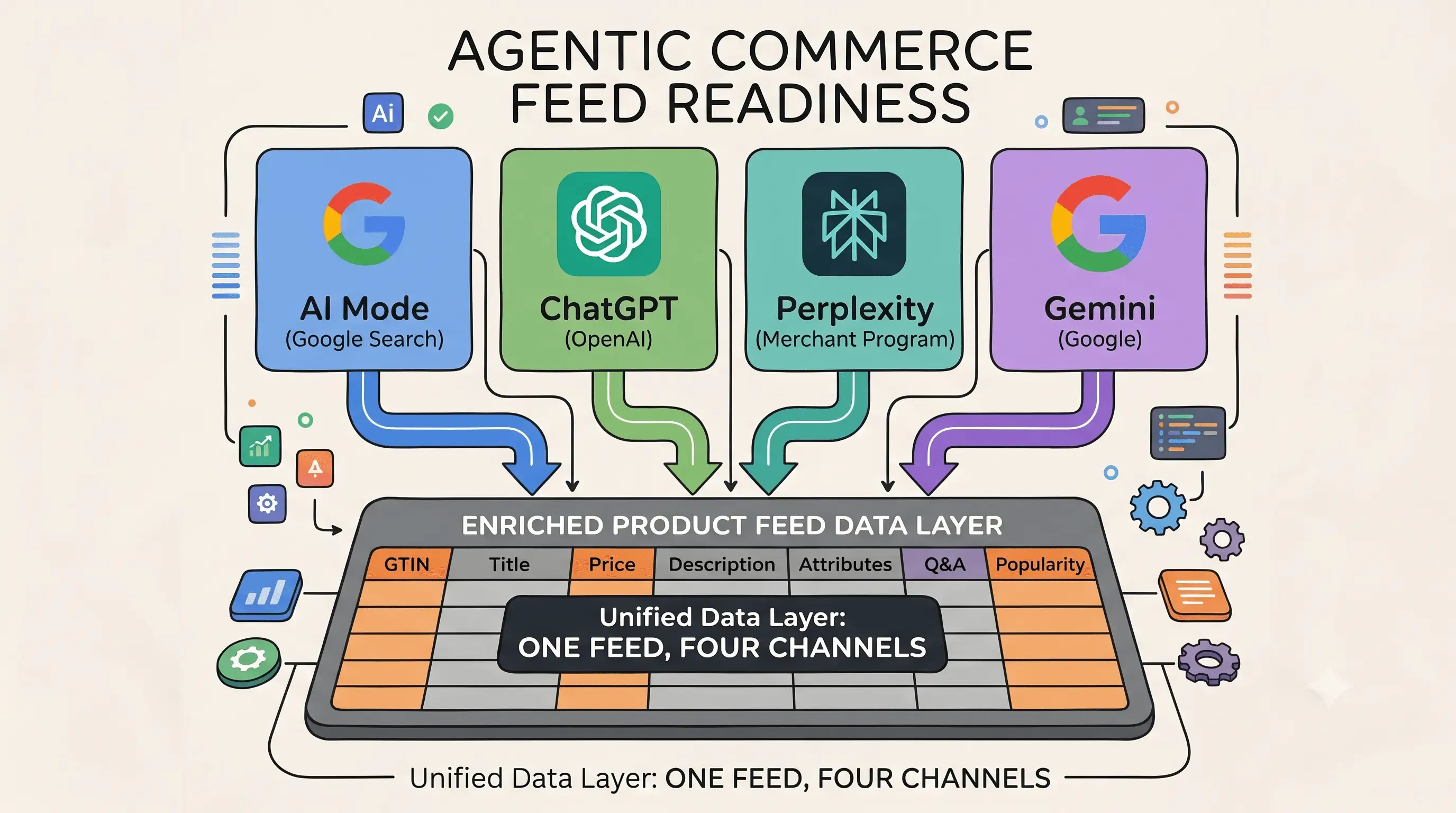
Feed optimization makes data valid. Enrichment makes it relevant: Feedance writes context into each product as attributes and custom labels that rules, filters and exports can act on.
- Turn it onTurn on an enrichment. Some need an integration first, such as GA4, PriceTrack, Google Ads or Merchant Center.
- Match it to productsFeedance joins the data to each product by ID, category, region or time window.
- Write it into the feedValues are written as feed fields, for example product_score, price_war or stock_alert.
- Act on it per channelUse the new fields in Feed Rules, Product Filters and channel exports. They refresh on every sync.
Seventeen enrichments.
Three kinds.
Creators add new fields, Catchers pick up outside signals, Segmentators group products by how they perform. They all land in the same feed.
Creator
New fields your catalog does not have.4 enrichments LocationRegion or city added to your feed.Location per feed
 NewShipping InfoRegion-based shipping cost and delivery time.
shipping_info NewDeeplink BuilderApp links, so ads open the product in your app.
ios_url, android_url Google Category MapperThe right Google product category for every product.
google_product_category
Catcher
Outside signals, caught and written in.8 enrichments Broken SizeLeaves incomplete size runs out of the feed.Feed effect
 NewGoogle Analytics 4Product-level GA4 performance in your feed.GA4 parametersNeeds GA4
 NewPrice WarYour prices next to competitors, tagged.
price_warNeeds PriceTrack NewStock AlertRunning low, sold out or back in stock.
stock_alert NewHoliday TimerProducts tagged around holidays and special days.
holiday_timer Weather TagWeather context on the right products.Weather & temperatureNeeds Location
 NewMerchant CenterStatuses, issues, price benchmarks and best sellers.Insight reportNeeds Merchant Center
 Match TimerProducts tagged when a football or basketball match is on.
match_live
Segmentator
Products grouped by how they perform.5 enrichments Product ScoreA score for every product, strongest first.
product_scoreNeeds GA4 4T SegmentationFour performance-based segments.
4t_segmentationNeeds GA4 What SellsColours, prices and materials that outsell their share.Insight reportNeeds GA4
 NewDiscount ImpactWhere discounts bring revenue, and where they don’t.
discount_responseNeeds GA4 NewGoogle Ads AnalysisWhere your Google Ads budget goes, product by product.
ads_efficiencyNeeds Google Ads
Coming soon
In the works, many of them AI-powered.6 enrichments Creative Builder✦ AI
 Title/Description AI✦ AI
 Badge Remover AI✦ AI
 Search Param AI✦ AI
 Translation AI✦ AI
 TV Ads Tracker✦ AI
Pick one.
See where it runs.
Every enrichment shows what it writes to the feed, what it needs and on which channels it is live.
Pick an enrichment from the list.
Each row says what the enrichment writes, what it needs and whether it is live. New ones are tagged.
- 1What it writes to the feed, and what it needs
- 2Where it is live on your channels
- 3Set it up from the same row
app.feedance.com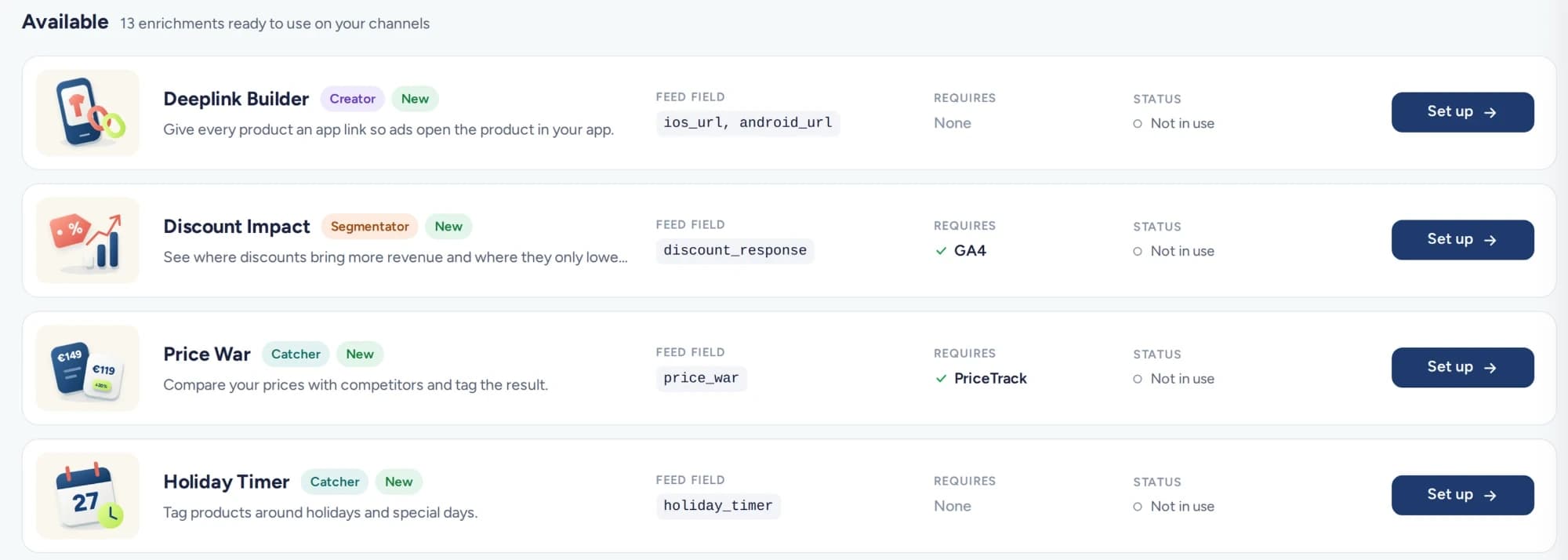
See what it does, and where.
Active enrichments move to the top, with the effect on the feed and the channels they run on.
- 1What the enrichment does to the feed
- 2Live on 6 of 7 channels, managed from here
app.feedance.com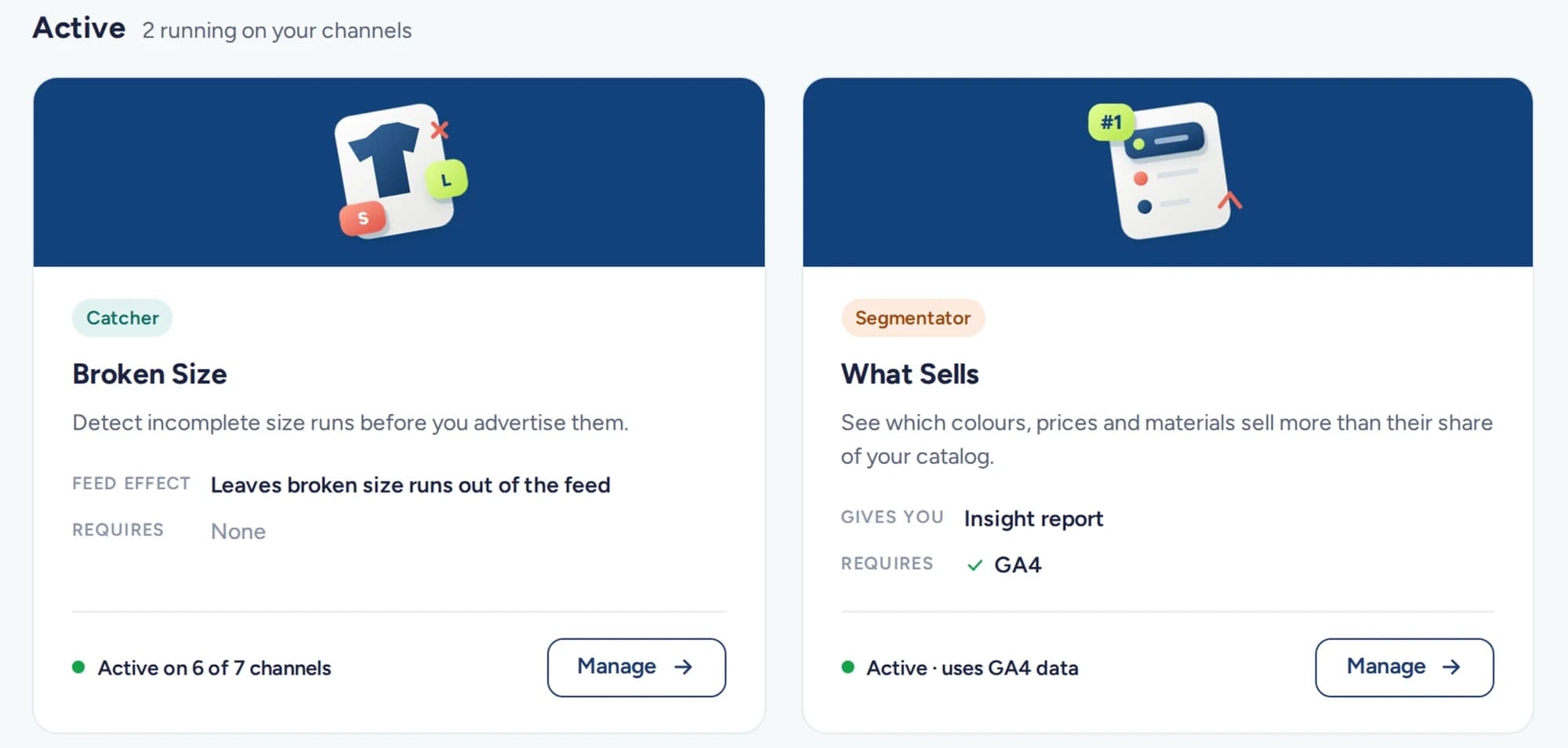
- 01More relevant adsProducts match what shoppers need right now, in their location and conditions.
- 02More conversionsThe right products show at the right time, so clicks are more likely to turn into orders.
- 03More efficient campaignsProduct Score, 4T and Price War let you focus catalog ads on products and moments that convert.
- 04Better landing pagesBroken Size flags products with most sizes gone, so shoppers do not land on a sold-out page.
Who uses
which enrichment.
Enrichments pay off where demand moves with performance, price, stock or time. Typical combinations:
| Business | Enrichment | What the feed does with it |
|---|---|---|
| Fashion and apparel | Broken SizeWeather Tag | Drop items whose sizes are gone, lift seasonal items with the weather |
| Any e-commerce catalog | Product Score4T | Spend on products that earn, limit the ones that get views but no sales |
| Price-sensitive categories | Price WarDiscount Impact | Tag products where a competitor is cheaper, see where discounts pay off |
| Retailers with an app | Deeplink Builder | Open ads in the app instead of the mobile site |
| Campaign periods | Holiday TimerStock Alert | Time products around special days and stock changes |
Questions,
answered.
Short answers. Each enrichment page has its own FAQ.
Which businesses should use weather enrichment?
Weather enrichment suits businesses whose sales move with the weather, such as apparel, food and beverage, grocery delivery, events and tourism. A delivery business might lift visibility on rainy evenings, for example. It builds on the Location enrichment, so products can match the conditions where shoppers are.
Why add enrichments if my feed is already valid?
A valid feed only says what exists, while enrichment tells channels what sells, where and when. Performance, stock, weather, timing and price signals become fields that rules, filters and exports can act on. That helps you stop paying to show products that do not fit the moment.
What is feed enrichment, and what does it add to my products?
Feed enrichment adds what your catalog cannot know on its own, written into each product as attributes and custom labels. That includes performance, price position, stock, timing, shipping and app links. You can turn on one enrichment or combine several, and they all land in the same feed.
How can I check that an enrichment is actually reaching my channels?
Each enrichment in Feedance shows what it writes to the feed, what it needs and on which channels it is live. Active ones move to the top of the list with their effect on the feed. To judge the commercial result, compare the labeled product groups in your ad accounts.
Can I choose which enriched fields each channel receives?
Yes, you choose which fields go to which channel, and rules and filters can differ per export. A signal can decide what gets advertised without changing what shoppers read. If you do want to show it, such as "Limited sizes available", you can add it to titles or creatives.
Five modules.
One platform.
Feed Enrichment is one of five Feedance modules. Each one has its own page.