











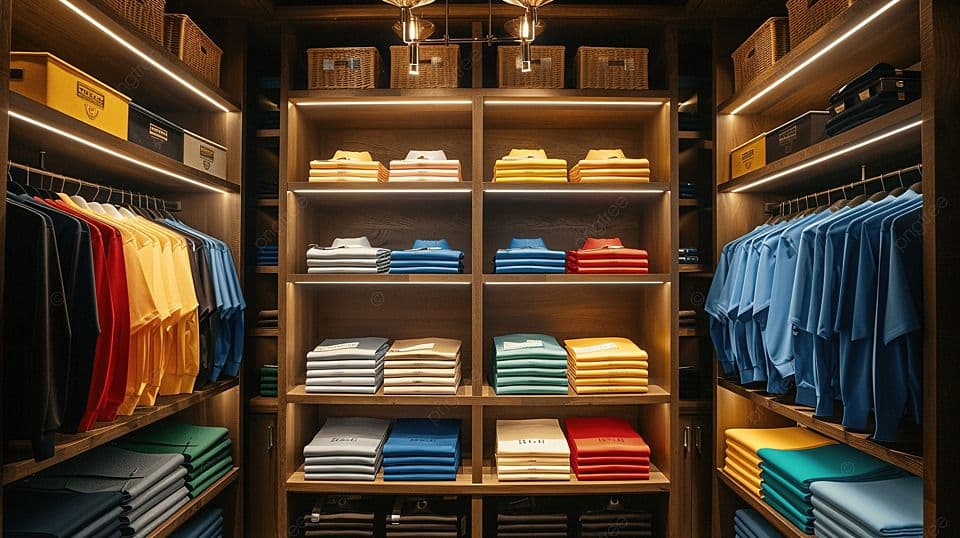
Most feed problems don't look like feed problems. They look like a Google Merchant Center disapproval you can't explain, an Advantage+ campaign that spends its budget on a single black t-shirt, or a Shopping ad that sends a customer looking for a size 42 shoe to a page where only size 38 is left.
Underneath almost all of these sits the same thing: variants.
A variant is any version of a product that differs in one visible, purchasable way — size, colour, material, capacity, finish. They are ordinary in retail and unusually difficult in feeds, because every channel models them differently, and because getting them wrong fails quietly. Nothing breaks. Your ads just quietly underperform, and the diagnosis lives four layers down in a data file nobody opens.
This guide covers the whole subject: what actually counts as a variant, how item_group_id works and where people misuse it, every variant-defining attribute with its real limits, working feed examples in XML, CSV and JSON, how Google, Meta, TikTok, Pinterest, Amazon and regional marketplaces each expect variants to be structured, and a diagnostic table for the errors that show up most often.
It's long because the topic is. Use the table of contents to jump.
1. What a variant actually is
A variant is a purchasable version of a product that differs from its siblings in at least one attribute a customer would choose between, while remaining the same product.
That last clause does a lot of work. A blue medium t-shirt and a black large t-shirt are the same product. A blue t-shirt and a blue hoodie are not, even from the same brand in the same fabric.
The standard model across most channels is parent/child:
- The parent is the conceptual product — "Merino Crew Neck Sweater." It usually isn't purchasable on its own.
- The children are the variants — each with its own SKU, its own stock level, sometimes its own price and image.
In a product feed, this is almost always expressed flat: every variant is its own row or <item>, and a shared grouping key ties them together. There is no nesting. A sweater in 4 colours and 5 sizes is 20 rows, all carrying the same group ID.
What is not a variant
This is where feeds go wrong before a single line of XML is written.
| Not a variant | Why | What to use instead |
|---|---|---|
| Multipacks — a 6-pack vs. a single | Different quantity of the same unit, not a chosen attribute | multipack attribute (Google) |
| Bundles — camera + lens + bag | A distinct sellable composite | is_bundle attribute; separate product |
| Related products — matching top and skirt | Different products that pair well | Separate items; use recommendations |
| Refurbished vs. new | Condition, not variation | condition attribute |
| Different retailers' listings | Same product, different seller | Separate accounts/feeds |
| Personalisation — engraved name | Made-to-order, not a stocked option | Usually one item; note in description |
Grouping any of these under a shared item_group_id produces a group whose members aren't interchangeable — which confuses the variant selector on the destination page and, on some channels, triggers a mismatch disapproval.
2. The decision that determines everything
Before writing any feed logic, answer one question for each product type you sell:
When a customer picks a different option, do they land on a different page — or the same page in a different state?
This is the practical test, and it maps directly to how you should structure the feed.
Case A — separate URLs per variant. Each colour has its own product page (/merino-sweater-navy, /merino-sweater-charcoal). Send every variant as its own row with its own link. This is the cleanest setup, gives the best ad relevance, and is what channels prefer.
Case B — one URL, variant selected on-page. Everything lives at /merino-sweater and the customer picks colour and size with a selector. You can still send every variant, but you should append a deep-link parameter so the ad lands on the right pre-selected state:
https://example.com/merino-sweater?colour=navy&size=mWithout that parameter, a shopper who clicked an ad for a navy medium arrives at a default state showing charcoal small. That mismatch is one of the largest silent conversion killers in variant advertising, and on Google it can also trigger a "Mismatched value (page crawl)" disapproval, because the crawler sees a page whose visible colour doesn't match the submitted color.
Case C — variants that aren't worth splitting. Some variations don't influence the buying decision enough to justify separate ads — cable length on a charger, for example. Here you may deliberately send one representative variant. Section 7 covers when this is the right call.
Variant-defining vs. descriptive attributes
Every attribute in your feed falls into one of two buckets, and confusing them is a frequent cause of malformed groups.
Variant-defining attributes must differ between members of the group. These are the things the customer chooses: color, size, material, pattern, plus product-specific dimensions like capacity or finish.
Group-constant attributes must be identical across every member: brand, gender, age_group, item_group_title, google_product_category. If two rows share an item_group_id but carry different gender values, you have either mis-grouped the products or mis-tagged them.
Row-specific but not variant-defining attributes vary per row without defining the variation: id, price, availability, gtin, image_link, link. Two variants can legitimately have different prices — a size 3XL often costs more — without price being what distinguishes them.
3. item_group_id: the foundation
item_group_id is the shared key that tells a channel "these rows are the same product." Everything else about variant handling depends on it being right.
The specification
| Property | Meta | TikTok | |
|---|---|---|---|
| Field name | item_group_id | item_group_id | item_group_id |
| Max length | 50 characters | 100 characters | 150 characters |
| Allowed characters | Unicode; ASCII recommended — alphanumeric, underscores, dashes | String | String |
| Case sensitivity | Case-insensitive (ABC123 = abc123) | Case-sensitive | Case-sensitive |
| Required? | Required for free listings, and for Shopping ads in Brazil, France, Germany, Japan, the UK and the US — when variants are submitted | Needed for variant grouping | Needed for variant grouping |
| Repeated field | No — one value per item | No | No |
Because Google treats the value case-insensitively but Meta and TikTok do not, standardise on lowercase (or uppercase) everywhere. A catalogue where SWTR-001 and swtr-001 both appear will group correctly on Google and split into two products on Meta.
Choosing the value
The best item_group_id is the parent SKU you already have in your ERP or PIM. It exists, it's stable, and it's unique.
Good:
SWTR-MERINO-CREW
12345
parent-8891
Bad, and why:
| Value | Problem |
|---|---|
| Merino Crew Neck Sweater | Spaces and mixed case; exceeds limits when titles are long; changes when marketing renames the product |
| sweater | Not unique — collapses your entire sweater range into one group |
| SWTR-MERINO-CREW-NAVY-M | Includes the variant dimensions, so every row gets a unique value and nothing groups |
| A row number or hash regenerated each export | Changes between exports; channels lose group continuity and re-learn from zero |
That last one deserves emphasis. item_group_id must be stable over time. Channels accumulate performance history against the group. If your export regenerates IDs, you reset that history on every sync, and no amount of bid optimisation will compensate.
The three rules
- Every member of a group shares the same item_group_id.
- Every member has a unique id. A duplicate id anywhere in the feed causes the later row to be dropped silently.
- Every member differs in at least one variant-defining attribute. Two rows with the same group ID and the same colour and size are duplicates, not variants.
A convention that satisfies all three:
item_group_id: SWTR-MERINO-CREW
id:            SWTR-MERINO-CREW-NAV-M
id:            SWTR-MERINO-CREW-NAV-L
id:            SWTR-MERINO-CREW-CHR-M
Readable, debuggable, derived from data you already hold.
item_group_title
A more recent Google attribute, optional but recommended whenever you submit item_group_id. It carries the name of the parent product — max 150 characters — and must be identical across every variant in the group.
xml
<g:item_group_id>SWTR-MERINO-CREW</g:item_group_id>
<g:item_group_title>Merino Crew Neck Sweater</g:item_group_title>
<title>Merino Crew Neck Sweater — Navy, Medium</title>
Note the pattern: title is variant-specific, item_group_title is not. Sending the same string in both wastes the signal.
variant_option
Also newer on Google's side: a structured way to declare which properties define the variation, rather than leaving the channel to infer it. It accepts up to 30 name/value pairs (each sub-attribute up to 250 characters, 5,000 characters total).
xml
<g:variant_option>
  <g:name>Colour</g:name>
  <g:value>Navy</g:value>
</g:variant_option>
<g:variant_option>
  <g:name>Size</g:name>
  <g:value>M</g:value>
</g:variant_option>
This is particularly useful for products whose variation axes aren't covered by the standard apparel attributes — storage capacity, processor tier, wattage, seat count. Rather than forcing "256GB" into size, you declare it properly.
4. Variant-defining attributes, in detail
color
The most rule-bound attribute in the specification, and the one most often rejected.
| Property | Value |
|---|---|
| Max length (Google) | 100 characters total, 40 per individual colour |
| Max length (Meta / TikTok) | 200 characters |
| Multiple colours | Separate with /, primary colour first |
| Required | For apparel in the countries listed above; for all Apparel & Accessories free listings |
Not accepted:
- Numbers — Colour 42, RAL 5013
- Hex codes — #001F5B
- Single letters — N for navy
- References to an image — see photo
- Alphanumeric or joined words — Navy1, NavyBlue (write Navy Blue)
Handling marketing colour names. Fashion brands rarely name colours "navy." They name them "Midnight Regatta." The channel needs a colour a shopper would search; your brand needs its own name on the page.
The workable compromise:
color:       Navy
description: ...available in Midnight Regatta (navy)...
Map marketing names to standard ones in the feed, and keep the brand name visible on the landing page and in the description. Do not put the marketing name in color and hope — it degrades matching for colour-qualified queries, which are among the highest-intent searches in apparel.
Multi-colour products:
color: Navy/White/GreyPrimary first. Google reads the first value as the dominant colour.
size
| Property | Value |
|---|---|
| Max length (Google) | 100 characters |
| Max length (Meta / TikTok) | 200 characters |
| Required | For clothing and shoes in the listed countries; for free listings |
| One-size products | one_size, OS, or OSFA |
The rule that matters: be specific enough to be unambiguous, and consistent across the catalogue. M is fine if every product uses M. A feed mixing M, Medium, med and M/L for the same concept fragments your variant groups and makes size-based segmentation impossible.
For products where a single dimension is insufficient, include the distinguishing dimensions in the value:
size: 32/34          (waist/inseam)
size: 15.5/34        (neck/sleeve)
size: 9.5 Wide       (shoe width)
size: 200x140cm      (rugs, bedding)
size_type and size_system
Optional, apparel-only, and underused — both meaningfully improve matching for shoppers who search with these qualifiers.
size_type — up to 2 values from: regular, petite, maternity, big, tall, plus.
size_system — one of: US, UK, EU, DE, FR, JP, CN, IT, BR, MEX, AU. If omitted, the channel assumes the target country's system, which is the source of a specific and expensive failure: a Turkish retailer selling into Germany with EU sizing but no declared size_system may have sizes interpreted against the wrong scale.
xml
<g:size>10</g:size>
<g:size_system>UK</g:size_system>
<g:size_type>regular</g:size_type>
material
Max 200 characters on Google. Primary material first, then up to two secondary materials separated by /.
material: Cotton
material: Leather/Suede
material: Merino Wool/Nylon/Elastane
Required only if it distinguishes your variants — a bag sold in leather and canvas. Otherwise optional but worth submitting; material is a common search qualifier.
pattern
Max 100 characters. Free text describing the print or graphic: Striped, Polka Dot, Paisley, Floral, Herringbone. Same rule — required if it's what varies.
age_group and gender
Both are group-constant. Every variant in a group must carry the same value.
age_group: newborn, infant, toddler, kids, adult — one value per product.
gender: male, female, unisex.
If a garment is genuinely offered in men's and women's cuts, those are two separate item groups, not one group with mixed gender. The cuts differ, the sizing differs, and the shopper is choosing between products rather than between options.
Reference table
| Attribute | Google limit | Must differ | Must match across group |
|---|---|---|---|
| item_group_id | 50 chars | — | ✅ |
| item_group_title | 150 chars | — | ✅ |
| id | 50 chars | ✅ (always unique) | — |
| title | 150 chars | Recommended | — |
| color | 100 chars (40/colour) | If variation axis | — |
| size | 100 chars | If variation axis | — |
| size_type | 2 values | Optional | — |
| size_system | Enum | — | Usually ✅ |
| material | 200 chars | If variation axis | — |
| pattern | 100 chars | If variation axis | — |
| gender | Enum | — | ✅ |
| age_group | Enum | — | ✅ |
| brand | 70 chars | — | ✅ |
| google_product_category | — | — | ✅ |
| price | — | May differ | — |
| availability | Enum | May differ | — |
5. Real feed examples
XML (Google RSS 2.0)
Two variants of a six-variant group. Note what changes and what doesn't.
xml
<?xml version="1.0" encoding="UTF-8"?>
<rss version="2.0" xmlns:g="http://base.google.com/ns/1.0">
<channel>
<title>Example Store — Product Feed</title>
<link>https://example.com</link>
<item>
<g:id>SWTR-MERINO-CREW-NAV-M</g:id>
<g:item_group_id>SWTR-MERINO-CREW</g:item_group_id>
<g:item_group_title>Merino Crew Neck Sweater</g:item_group_title>
<title>Merino Crew Neck Sweater — Navy, Medium</title>
<description>Fine-gauge 100% merino wool crew neck. Ribbed cuffs and hem, regular fit. Machine washable on wool cycle.</description>
<link>https://example.com/merino-crew-sweater?colour=navy&size=m</link>
<g:image_link>https://cdn.example.com/swtr-merino-navy-1.jpg</g:image_link>
<g:additional_image_link>https://cdn.example.com/swtr-merino-navy-2.jpg</g:additional_image_link>
<g:availability>in_stock</g:availability>
<g:price>89.00 EUR</g:price>
<g:brand>Example</g:brand>
<g:gtin>5012345678900</g:gtin>
<g:mpn>SW-MC-NAV-M</g:mpn>
<g:condition>new</g:condition>
<g:google_product_category>1604</g:google_product_category>
<g:color>Navy</g:color>
<g:size>M</g:size>
<g:size_system>EU</g:size_system>
<g:size_type>regular</g:size_type>
<g:material>Merino Wool</g:material>
<g:gender>male</g:gender>
<g:age_group>adult</g:age_group>
<g:custom_label_0>core</g:custom_label_0>
<g:custom_label_1>full-size-run</g:custom_label_1>
</item>
<item>
<g:id>SWTR-MERINO-CREW-CHR-L</g:id>
<g:item_group_id>SWTR-MERINO-CREW</g:item_group_id>
<g:item_group_title>Merino Crew Neck Sweater</g:item_group_title>
<title>Merino Crew Neck Sweater — Charcoal, Large</title>
<description>Fine-gauge 100% merino wool crew neck. Ribbed cuffs and hem, regular fit. Machine washable on wool cycle.</description>
<link>https://example.com/merino-crew-sweater?colour=charcoal&size=l</link>
<g:image_link>https://cdn.example.com/swtr-merino-charcoal-1.jpg</g:image_link>
<g:availability>out_of_stock</g:availability>
<g:price>89.00 EUR</g:price>
<g:brand>Example</g:brand>
<g:gtin>5012345678931</g:gtin>
<g:mpn>SW-MC-CHR-L</g:mpn>
<g:condition>new</g:condition>
<g:google_product_category>1604</g:google_product_category>
<g:color>Charcoal</g:color>
<g:size>L</g:size>
<g:size_system>EU</g:size_system>
<g:size_type>regular</g:size_type>
<g:material>Merino Wool</g:material>
<g:gender>male</g:gender>
<g:age_group>adult</g:age_group>
<g:custom_label_0>core</g:custom_label_0>
<g:custom_label_1>broken-size</g:custom_label_1>
</item>
</channel>
</rss>Four things worth pointing out:
- item_group_id and item_group_title are identical; id and title are not.
- link carries deep-link parameters so the ad lands on the correct pre-selected state. The & is escaped as & — required in XML, and a frequent source of parse failures.
- image_link is variant-specific. Both navy rows point at the navy photograph. Sending one hero image for all colours is the second-most-common variant mistake after missing group IDs.
- The out-of-stock row is tagged via custom_label_1, so it can be excluded or bid down without removing it from the feed.
CSV / TSV
The same data, flattened. Header row plus two variants:
csv
id,item_group_id,item_group_title,title,description,link,image_link,availability,price,brand,gtin,condition,google_product_category,color,size,size_system,material,gender,age_group,custom_label_0
SWTR-MERINO-CREW-NAV-M,SWTR-MERINO-CREW,Merino Crew Neck Sweater,"Merino Crew Neck Sweater — Navy, Medium","Fine-gauge 100% merino wool crew neck.",https://example.com/merino-crew-sweater?colour=navy&size=m,https://cdn.example.com/swtr-merino-navy-1.jpg,in_stock,89.00 EUR,Example,5012345678900,new,1604,Navy,M,EU,Merino Wool,male,adult,core
SWTR-MERINO-CREW-CHR-L,SWTR-MERINO-CREW,Merino Crew Neck Sweater,"Merino Crew Neck Sweater — Charcoal, Large","Fine-gauge 100% merino wool crew neck.",https://example.com/merino-crew-sweater?colour=charcoal&size=l,https://cdn.example.com/swtr-merino-charcoal-1.jpg,out_of_stock,89.00 EUR,Example,5012345678931,new,1604,Charcoal,L,EU,Merino Wool,male,adult,core
CSV is where most real-world breakage happens, because commas inside titles and descriptions must be quoted, and quotes inside quoted fields must be escaped. If your titles contain commas — and product titles with colour and size almost always do — use TSV instead. Tabs virtually never appear in product data, and an entire class of parsing bugs disappears.
JSON
For API-based ingestion:
json
{
  "products": [
    {
      "id": "SWTR-MERINO-CREW-NAV-M",
      "item_group_id": "SWTR-MERINO-CREW",
      "item_group_title": "Merino Crew Neck Sweater",
      "title": "Merino Crew Neck Sweater — Navy, Medium",
      "link": "https://example.com/merino-crew-sweater?colour=navy&size=m",
      "image_link": "https://cdn.example.com/swtr-merino-navy-1.jpg",
      "availability": "in_stock",
      "price": { "value": "89.00", "currency": "EUR" },
      "brand": "Example",
      "gtin": "5012345678900",
      "condition": "new",
      "google_product_category": "1604",
      "variant_attributes": {
        "color": "Navy",
        "size": "M",
        "size_system": "EU",
        "material": "Merino Wool"
      },
      "gender": "male",
      "age_group": "adult"
    }
  ]
}
A complete size run
Six variants — two colours × three sizes — with the ID pattern visible:
| id | item_group_id | color | size | availability |
|---|---|---|---|---|
| SWTR-MC-NAV-S | SWTR-MERINO-CREW | Navy | S | in_stock |
| SWTR-MC-NAV-M | SWTR-MERINO-CREW | Navy | M | in_stock |
| SWTR-MC-NAV-L | SWTR-MERINO-CREW | Navy | L | in_stock |
| SWTR-MC-CHR-S | SWTR-MERINO-CREW | Charcoal | S | out_of_stock |
| SWTR-MC-CHR-M | SWTR-MERINO-CREW | Charcoal | M | in_stock |
| SWTR-MC-CHR-L | SWTR-MERINO-CREW | Charcoal | L | out_of_stock |
Charcoal has one size left in three. Section 9 covers what to do about that.
6. Channel by channel
The concept is universal. The implementation is not. Here is how each major destination expects variants, and where each one differs.
Google Shopping / Merchant Center
The most prescriptive, and the reference implementation most other channels borrow from.
- item_group_id is required for free listings, and for Shopping ads in Brazil, France, Germany, Japan, the UK and the US, whenever variants are submitted.
- Variant-defining attributes must be populated: color and size are required for apparel in those markets.
- gender and age_group are required for apparel and must be consistent across the group.
- The landing page must visibly match the submitted variant values, or you risk a Mismatched value (page crawl) disapproval.
- Every variant competes independently in the auction. Google chooses which member of a group to surface for a given query, so an incomplete group means a weaker candidate pool.
- image_link must be at least 500×500 pixels for apparel — a minimum being enforced from 31 January 2027, worth auditing now rather than in a rush.
Practical note: Merchant Center reports at variant (id) level, not group level. To evaluate a product properly you must aggregate by item_group_id yourself — which is much easier if the group ID is clean and stable.
Meta (Facebook and Instagram)
Meta uses the same field name with different constraints and a materially different display model.
- item_group_id allows up to 100 characters and is case-sensitive.
- color and size allow up to 200 characters.
- Availability values use spaces, not underscores: in stock, not in_stock. This single difference breaks more Meta feeds than any other, especially when a Google feed is reused directly.
- In Shops and on product detail surfaces, a correctly grouped set renders as one product with a variant selector, rather than several near-identical listings.
- Advantage+ catalog ads use the group to avoid showing a user six versions of the same sweater in one carousel — an ungrouped catalogue produces visibly repetitive ads and wasted impressions.
- Variant-level reporting in Commerce Manager depends on correct grouping.
Practical note: Do not point Meta at your Google feed unmodified. At minimum, transform availability, and check the character limits. Most feed platforms — Feedance included — handle this as a channel-level transformation so the source data stays untouched.
TikTok
- item_group_id allows up to 150 characters.
- sku_id is the per-variant unique identifier — each variant row needs a distinct value.
- color and size allow up to 200 characters.
- title allows up to 255 characters; description up to 10,000; google_product_category is expected.
- TikTok is the strictest channel about variant-specific imagery. Product cards display a variant selector, and variants that share a single generic image perform measurably worse. If you cut one corner in your imagery pipeline, do not cut it here.
- Follows Google's model closely; item_group_id groups variants.
- Pinterest surfaces variants inside a single Product Pin with selectable options.
- Image quality and vertical aspect ratios matter disproportionately — Pinterest is a visual-discovery surface, and variant images that aren't distinct simply don't get saved.
Amazon
Amazon does not use item_group_id, and assuming otherwise causes a great deal of wasted work.
Amazon uses an explicit parent/child relationship model:
- A parent ASIN is created as a non-buyable listing.
- Each child ASIN references the parent through parent_sku / parent_child fields.
- A variation theme must be declared — SizeColor, Size, Color, SizeName-ColorName and so on, varying by category.
- The theme must be valid for that specific category; the same theme name is not available everywhere.
If you're exporting to both Google and Amazon from one source, treat this as a genuine transformation, not a field rename. Your feed layer must construct the parent listing, assign the theme, and map children to it.
Regional marketplaces and comparison engines
Turkish and wider MENA channels each have their own conventions, and they are frequently the difference between a working and a broken catalogue in these markets.
- Trendyol uses its own parent/child model with a mandatory category-specific attribute set. Colour and size are separate structured fields, and required attribute lists differ by category.
- Akakçe and Cimri are price comparison engines. They typically expect one row per purchasable SKU, and duplicate near-identical rows tend to be filtered — so sending a full size run without differentiated data can reduce rather than increase visibility.
- Hepsiburada and N11 each define their own variant grouping keys and required attributes.
This is the area where generic global feed tooling most often falls short, and where a mis-mapped attribute quietly removes an entire category from a marketplace.
Comparison
| Meta | TikTok | Amazon | |||
|---|---|---|---|---|---|
| Grouping key | item_group_id | item_group_id | item_group_id | item_group_id | Parent ASIN |
| Max length | 50 | 100 | 150 | 50 | n/a |
| Case sensitive | No | Yes | Yes | No | n/a |
| Availability syntax | in_stock | in stock | in_stock | in stock | Quantity |
| Variant images | Recommended | Recommended | Critical | Critical | Required |
| Explicit theme needed | No | No | No | No | Yes |
| Variant-level reporting | Yes | Yes | Yes | Limited | Yes |
7. Split or collapse?
Sending every variant is the default recommendation, but it is not universally correct. The real question is whether the variation changes what the shopper wants.
Send every variant when…
- The variation is the purchase decision. Apparel, footwear, anything where the wrong size is not a sale.
- Stock differs meaningfully by variant. Advertising a product whose only remaining option is a size 3XL wastes spend.
- Price differs by variant. Showing €89 when the selected option costs €119 produces a price mismatch and an angry customer.
- Search demand is variant-qualified. People search "navy merino sweater medium." You cannot rank for that without submitting it.
Collapse to one representative variant when…
- The catalogue is very large and mostly homogeneous. A hardware retailer with 200,000 SKUs where 60% are trivial length variations gains little from full expansion and pays for it in feed processing and campaign complexity.
- The channel penalises near-duplicates. Several comparison engines filter repetitive rows; a full size run can reduce visibility.
- Variation doesn't affect price, image or availability. If all twelve variants are identical in every commercially relevant way, twelve rows create noise rather than signal.
When you collapse, pick the representative deliberately: the best-selling in-stock variant, not the first row alphabetically. This is exactly where performance data earns its place in the feed — GA4 or platform data can select the representative automatically rather than leaving it to sort order.
A middle path
Split on the axis that drives the decision; collapse on the one that doesn't.
For footwear, that usually means one row per colour, with sizes collapsed — colour is the discovery axis, size is the fit check that happens on the page. For a product where capacity drives price, split on capacity and collapse on colour.
8. The 12 most common variant errors
| # | Symptom | Cause | Fix |
|---|---|---|---|
| 1 | Variants appear as separate unrelated products | item_group_id missing or unique per row | Populate with the parent SKU; verify it repeats across the group |
| 2 | Some variants missing from the channel entirely | Duplicate id values — later rows silently dropped | Enforce uniqueness at export; add a duplicate check |
| 3 | "Mismatched value (page crawl)" disapproval | Landing page shows a different colour/size/price than submitted | Add deep-link parameters; ensure the page renders the selected state server-side |
| 4 | All variants show the same photo | Single hero image_link reused | Map variant-specific images; fall back to hero only when no variant image exists |
| 5 | Ad clicks land on out-of-stock options | availability not synced per variant | Increase update frequency; exclude out_of_stock from active campaigns |
| 6 | color rejected | Hex code, number, single letter, or joined word | Map to plain colour names; separate multiples with / |
| 7 | Size filters don't work; size queries don't match | Inconsistent size values across catalogue (M / Medium / med) | Normalise with a mapping table applied at feed level |
| 8 | Group splits on Meta but not Google | Case inconsistency in item_group_id | Force a single case for the whole field |
| 9 | Meta rejects the whole feed | in_stock used where Meta expects in stock | Transform availability per channel |
| 10 | Group rejected for inconsistent attributes | gender or age_group differs within the group | These are group-constant; separate men's and women's cuts into distinct groups |
| 11 | Performance history resets each sync | item_group_id regenerated per export | Derive from a stable source field, never from row order or a hash |
| 12 | XML feed fails to parse | Unescaped & in deep-link URLs | Escape as &; validate the XML before publishing |
Errors 1, 2, 4 and 11 account for the large majority of what we see in real audits. None of them are difficult; all of them are invisible until someone goes looking.
9. Broken sizes and inventory health
A broken size run is a product whose group is technically live but practically unsellable — a sweater available only in XS and 3XL, a shoe with two sizes left out of nine.
This matters more than it appears. When a shopper clicks an ad for a product and finds their size unavailable, you have paid for a click that could not convert, and you have spent brand goodwill doing it. At scale, broken-size products can consume a meaningful share of budget while contributing almost nothing to revenue.
Detecting it
Compute, per item_group_id:
size_availability_ratio = in_stock_variants / total_variantsThen act on thresholds. A workable starting point:
| Ratio | Interpretation | Action |
|---|---|---|
| > 0.7 | Healthy | Advertise normally |
| 0.4 – 0.7 | Thinning | Reduce bids; watch |
| 0.2 – 0.4 | Broken | Exclude from prospecting; retargeting only |
| < 0.2 | Effectively sold out | Exclude entirely |
Weight this by demand, not just count. Losing XXS and XXL matters far less than losing M and L, which are typically the bulk of volume. A ratio that treats all sizes equally will under-react to the loss of your core sizes.
Acting on it
The cleanest implementation tags the condition in the feed rather than removing the product:
xml
<g:custom_label_1>broken-size</g:custom_label_1>Tagging rather than deleting preserves the product's history in the channel and lets you re-activate instantly when stock returns. Removing and re-adding resets learning.
Two further refinements worth building:
- Feed back into merchandising. A recurring broken-size list is a buying signal, not just an advertising problem.
- Re-check on every sync. Stock moves; the tag must move with it. A static broken-size list is worse than none, because it suppresses products that have since been replenished.
10. Using variants for campaign segmentation
Once variants are structured correctly, the data becomes a segmentation layer — arguably the highest-return use of a clean variant feed.
Google provides five custom_label fields (0–4). They accept arbitrary values and exist purely for your own campaign logic. Variant data is ideal input.
A workable scheme
| Label | Dimension | Example values |
|---|---|---|
| custom_label_0 | Margin tier | high-margin, standard, clearance |
| custom_label_1 | Stock health | full-size-run, thinning, broken-size |
| custom_label_2 | Performance tier | bestseller, steady, long-tail |
| custom_label_3 | Seasonality | ss26, aw25, core, carryover |
| custom_label_4 | Price band | under-50, 50-100, 100-200, over-200 |
With these in place, campaign logic becomes straightforward:
- Bid up bestseller + full-size-run + high-margin
- Exclude broken-size from prospecting
- Give clearance its own campaign with an aggressive tROAS
- Isolate ss26 when the season launches
Performance Max and Advantage+
Both are largely automated, which makes feed-level segmentation more important rather than less. You no longer control keyword-level bidding, so the feed becomes your main lever for steering spend.
In Performance Max, custom labels drive asset group and listing group structure. Splitting a single catch-all asset group into margin-based or stock-health-based groups is one of the few remaining structural levers, and it depends entirely on labels being populated from real data.
In Advantage+ catalog ads, correct grouping prevents the carousel from filling with six shades of the same sweater — and product set definitions built on variant attributes let you separate prospecting from retargeting inventory.
Enriching labels with performance data
Static labels decay. bestseller assigned last season is misinformation this season.
The stronger implementation recalculates labels from live performance data — GA4 revenue, conversion rate, view counts — on every feed sync. A product that stops selling drops out of bestseller automatically; one that starts selling enters it. This is a core part of what feed enrichment means in practice, and it's the difference between labels that steer budget and labels that merely describe last quarter.
11. Measuring variant performance
Variant-level data is where most reporting quietly falls apart.
The aggregation problem. Merchant Center and Ads report at id level. A sweater in 20 variants appears as 20 rows, each with a fraction of the volume, none individually significant. Any conclusion drawn from a single variant row is probably noise.
Always analyse at two levels:
- Group level (item_group_id) — does this product work? Aggregate spend, conversions and revenue across all members.
- Variant level (id) — which options work? Which colours sell, which sizes run out first, which combinations never move.
The second is where the interesting findings live. It answers questions merchandising cares about: is navy outselling charcoal three to one? Do size L variants convert better because they're always in stock? Is one colour dragging the group's average down?
Metrics worth tracking per group:
| Metric | Why |
|---|---|
| Size availability ratio | Leading indicator of wasted spend |
| Variant coverage in channel | Submitted vs. actually approved — the gap is where problems hide |
| Impression share by variant | Reveals which options the channel actually favours |
| Conversion rate by colour | Merchandising and buying signal |
| Disapproval rate by group | Catches systemic attribute errors early |
A note on attribution. A shopper often sees an ad for one variant and buys another — clicks the navy, buys the charcoal. Variant-level ROAS taken literally will therefore misattribute. Judge products at group level; use variant data to understand behaviour, not to make bidding decisions on thin samples.
12. Pre-launch checklist
Run this before pushing a variant feed live, and after any structural change.
Structure
- Every variant has a unique id
- Every member of a group shares an identical item_group_id
- item_group_id is derived from a stable source field and does not change between exports
- item_group_id uses consistent casing across the entire feed
- Every member differs in at least one variant-defining attribute
- item_group_title is present and identical across the group
Attributes
- color uses plain colour names — no hex, numbers or single letters
- Multiple colours are separated with /, primary first
- size values are normalised across the whole catalogue
- size_system is declared where you sell across sizing regions
- gender and age_group are identical within each group
- material and pattern are populated where they define the variation
Links and images
- Each variant's link resolves to the correct pre-selected state
- & is escaped as & in XML
- image_link is variant-specific, not a shared hero image
- Images meet the minimum dimensions for each channel
Channel transformations
- availability syntax adjusted per channel (in_stock vs. in stock)
- Character limits respected per channel
- Amazon exports build parent listings and declare a valid variation theme
- Regional marketplace attribute sets mapped per category
Operations
- Update frequency matches how fast stock actually moves
- Broken-size detection runs on every sync
- Duplicate-id check runs before export
- Feed validates as well-formed XML/CSV before publishing
- Alerting is configured for sudden product-count drops
13. FAQ
Do I have to submit every single variant? Not always, but usually yes for apparel and footwear, where size and colour are the purchase decision. For very large homogeneous catalogues, or channels that filter near-duplicates, submitting one well-chosen representative variant per group can perform better. Choose the representative by sales performance and stock, not alphabetically.
What happens if I omit item_group_id? Each variant is treated as an unrelated product. You lose the variant selector on the destination surface, ads become repetitive, variant-level reporting breaks, and on Google you may fail a requirement — item_group_id is required for free listings and for Shopping ads in several major markets when variants are submitted.
Can variants have different prices? Yes. Price is not a variant-defining attribute, but it may legitimately differ per variant — larger sizes often cost more. The submitted price must match what the landing page shows for that specific variant.
Should out-of-stock variants stay in the feed? Generally yes. Keep them with availability: out_of_stock rather than deleting them. Removing and re-adding resets the item's history in the channel. Exclude them from active campaigns using a rule or custom label instead.
Can one product belong to two groups? No. item_group_id accepts a single value per item. If a product genuinely belongs to two conceptual groups, you have a merchandising taxonomy problem to resolve upstream.
Do I need separate item_group_id values per channel? No — and you shouldn't. Use the same logical grouping everywhere. What differs per channel is the transformation applied to it: character limits, casing, syntax. Keep one source of truth and adapt on export.
How do I handle products that are genuinely one-size? Submit size as one_size, OS, or OSFA. Don't leave it empty for apparel in markets where size is required.
Men's and women's versions of the same design — one group or two? Two. gender must be identical across a group. Different cuts and different sizing make them different products from the shopper's perspective.
What breaks most often in practice? In our audits: shared hero images across colour variants, regenerated item_group_id values on each export, and availability syntax carried unchanged from a Google feed into Meta. All three are invisible in the interface and only surface as unexplained underperformance.
Where this leaves you
Variant feeds reward precision in a way most of digital marketing does not. There is no creative judgement in item_group_id — it is either stable and shared, or it isn't. Colour values either follow the specification, or they get rejected. Images either match the variant, or the click was wasted.
That's the good news: this is a solvable problem with a definite answer. The work is in maintaining it — because catalogues change daily, stock moves hourly, and every channel adjusts its specification on its own schedule.
The businesses that get this right treat the variant feed as infrastructure rather than a file. They derive group IDs from stable source data, normalise attributes once at the source, transform per channel on export, recompute stock health on every sync, and alert when something moves unexpectedly.
That's precisely the layer Feedance is built for — feed rules for normalising attributes at source, broken size detection that recalculates on every sync, GA4 enrichment to keep performance labels current, and channel exports that apply the right transformation for each of 200+ destinations without touching your source data.
If you want to know where your own variant structure stands before changing anything, our free feed audit tool scores an existing feed on completeness, data quality and technical health — including variant grouping — at no cost.

Co-founder of Feedance, where he leverages his background as a computer engineer and marketer to drive analytical insights. With a strong focus on transforming data into actionable strategies, he is dedicated to helping brands achieve significant growth in the digital landscape.
LinkedIn